
How do I manage my subscription?Updated 8 months ago
Manage your subscription quickly and easily, at any time. You have total control. This is how:
- Log in to your Customer Portal 👉 https://letsliveitup.com/tools/recurring/get-subscription-access
- Make your changes
- Hit “Save Changes”
Be sure to make all changes at least 24 hours before your order is set to be processed!
- Rescheduling or skipping your next order
If you need a little more time before your next order, you can easily reschedule or skip your upcoming shipment, no matter the reason, in a few simple steps.
This will push back the processing, billing, and shipping of your order, and everything will pick back up on your next scheduled shipment date. Easy! 😉

- Switching flavors
Choose between our Original or Wild Berry Super Greens flavors with the press of a button. Simply click on "Manage Subscription" to make your selection.
- Adding more bags to your next order
Need more? Just click on the + or - buttons below the flavor selector.
- Getting your Super Greens order sooner
If you’ve run out and need your order quicker than 30 days, simply adjust the frequency of your orders to fit your needs.
OR
Click "Send Now" when you view your next order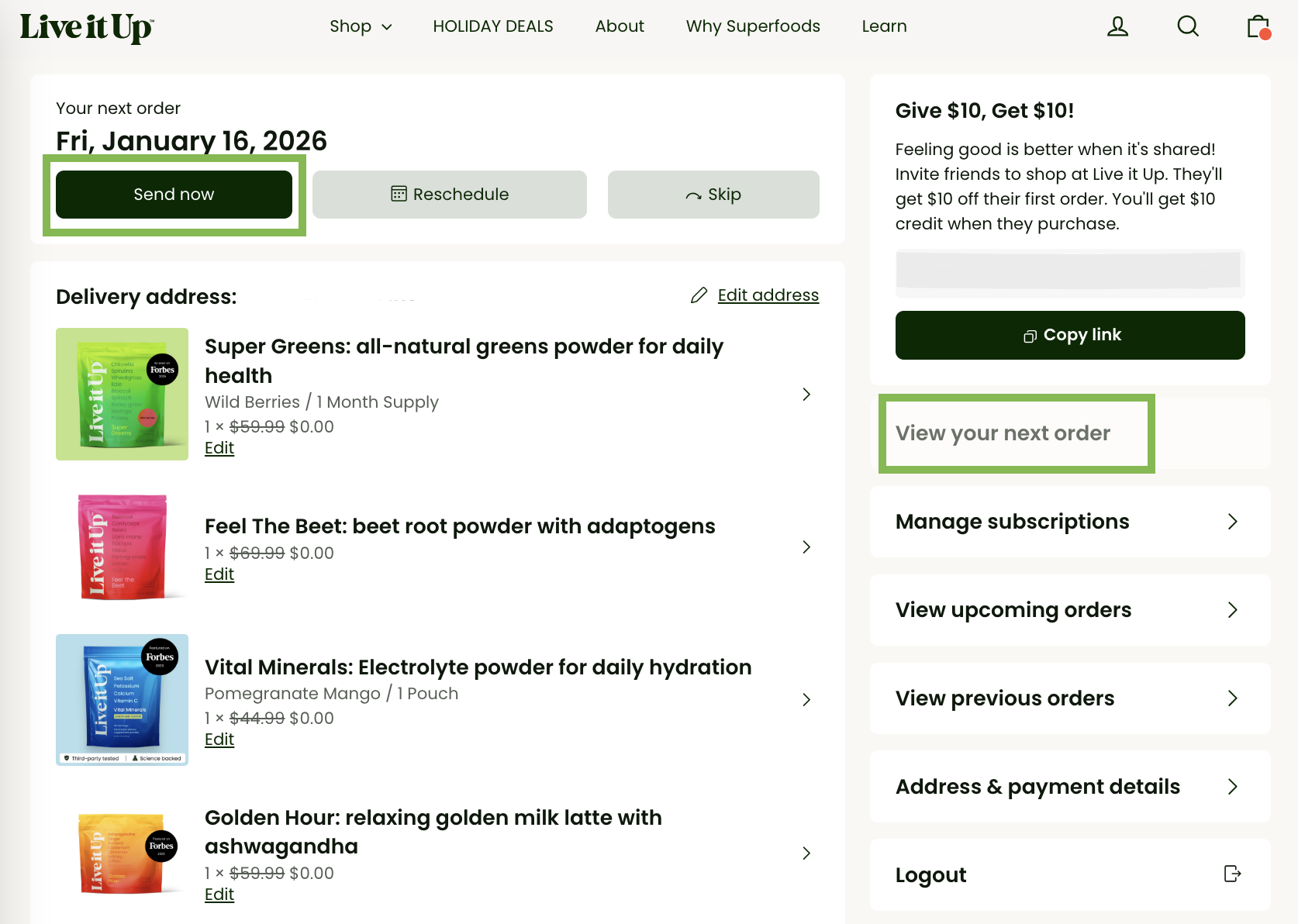
- Trying a different product.
If you’re keen to try something new, check out the "Swap" option to choose from our many amazing products!
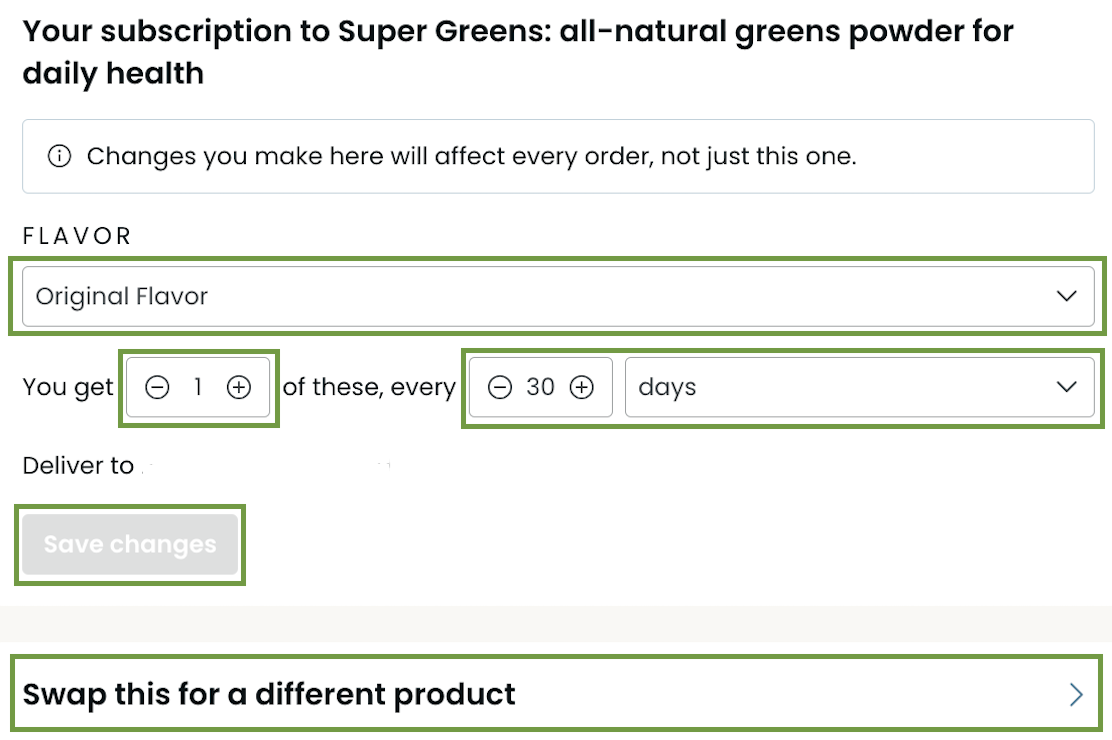
✅ Don't forget to hit "Save changes"
Need more help? Our Customer Experience Team is always on hand to assist!
Click here 👉 https://help.letsliveitup.com/en-US/contact